
We’re excited to announce Model Context Protocol (MCP) support for Claude Code in AI Engine! Claude Code (Anthropic’s terminal-based AI assistant) can now manage your entire WordPress site. One command to connect, and you’re ready to go! 😊
Claude Code is a command-line tool for developers. For the ChatGPT setup, see How To: Connect ChatGPT to WordPress with MCP. For Claude Desktop, see How To: Connect Claude to WordPress with MCP.
What Is Claude Code?
Claude Code is Anthropic’s AI assistant that runs directly in your terminal. It reads files, writes code, executes commands — and with MCP, it can now talk to your WordPress site too.
Think of it as a developer who also knows your entire WordPress. Need to analyze your traffic, create translated posts, schedule social media, or run an SEO audit? Just ask — in plain English.
Quick Setup
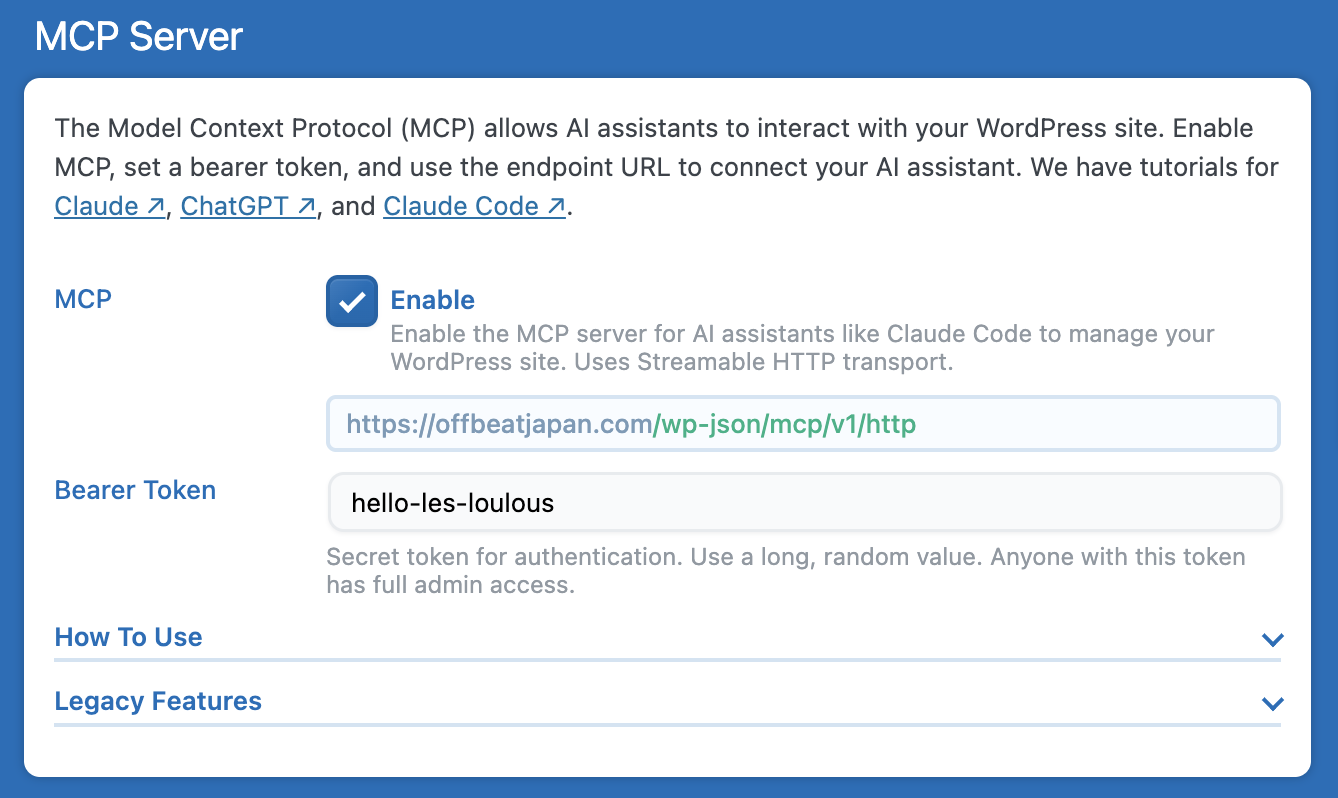
Go to AI Engine → Settings → MCP, enable it, and set a Bearer Token (any random string you choose).
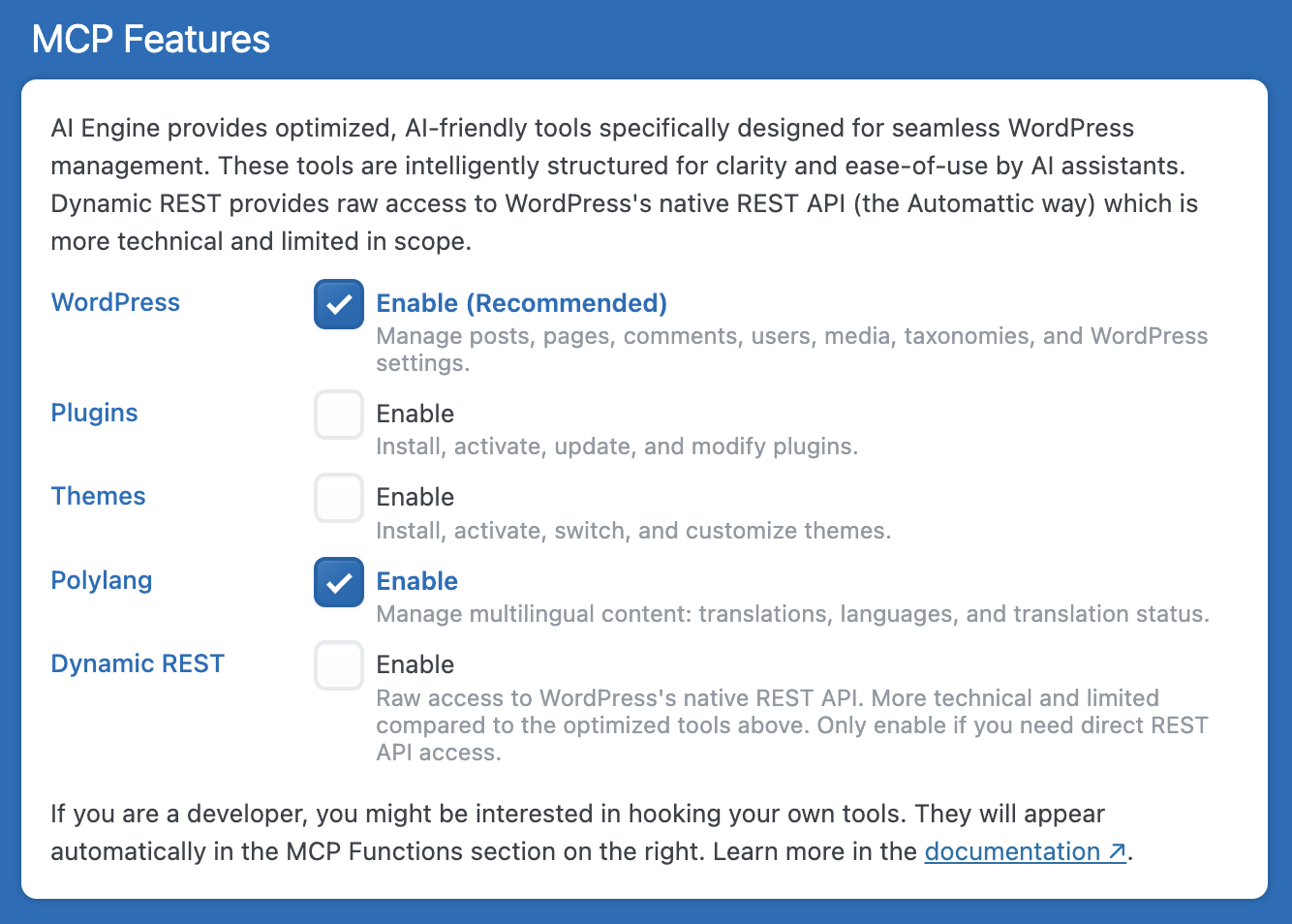
Choose which features to expose — WordPress core is on by default. You can also enable Plugins, Themes, Polylang (multilingual), and more.
If you haven’t already, install Claude Code first:
npm install -g @anthropic-ai/claude-codeThen open your terminal and run one command to connect your site:
claude mcp add my-site https://mysite.com/wp-json/mcp/v1/http --transport http --header "Authorization: Bearer YOUR_TOKEN"If you prefer, you can include the token directly in the URL:
claude mcp add my-site https://mysite.com/wp-json/mcp/v1/YOUR_TOKEN --transport httpThat’s it! Claude Code now has full access to your WordPress site.
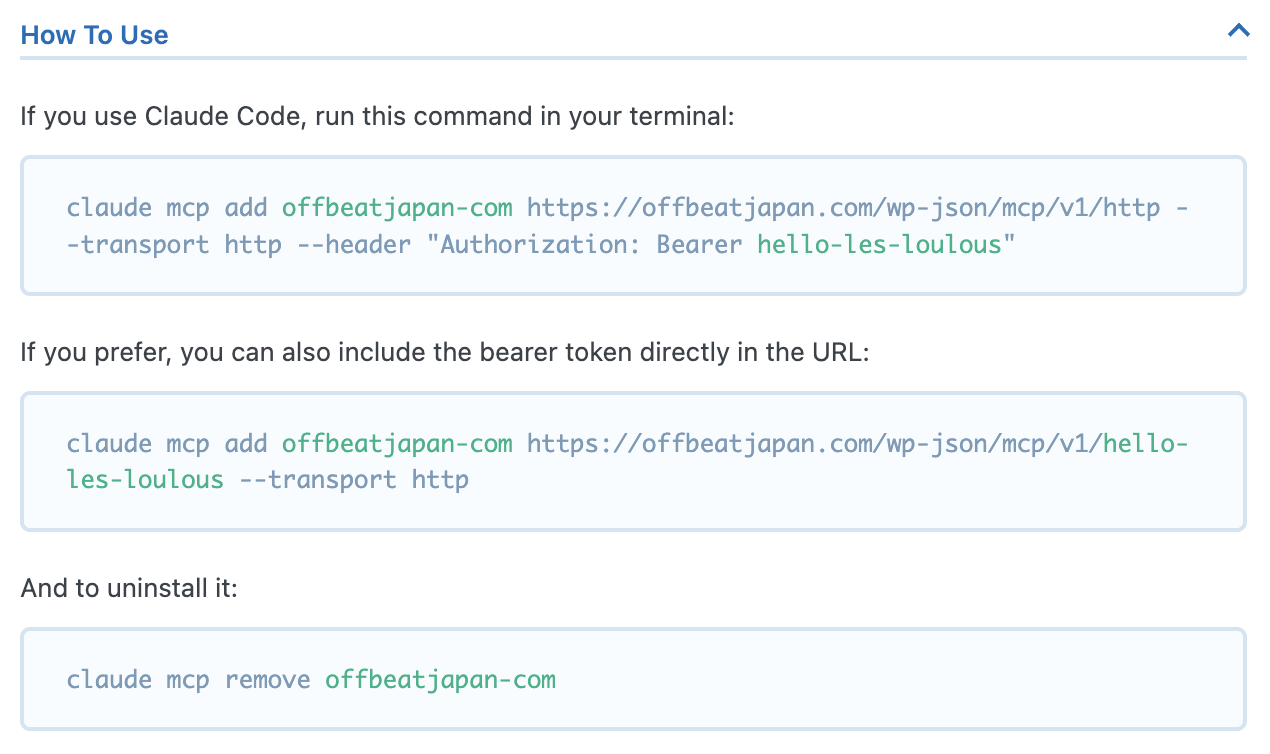
Troubleshooting: If Claude Code doesn’t detect your MCP server, make sure you registered it using the claude mcp add command shown above. Manually editing config files (like ~/.claude/settings.json) is not enough — Claude Code needs the CLI command to properly register MCP servers.
What Can You Do?
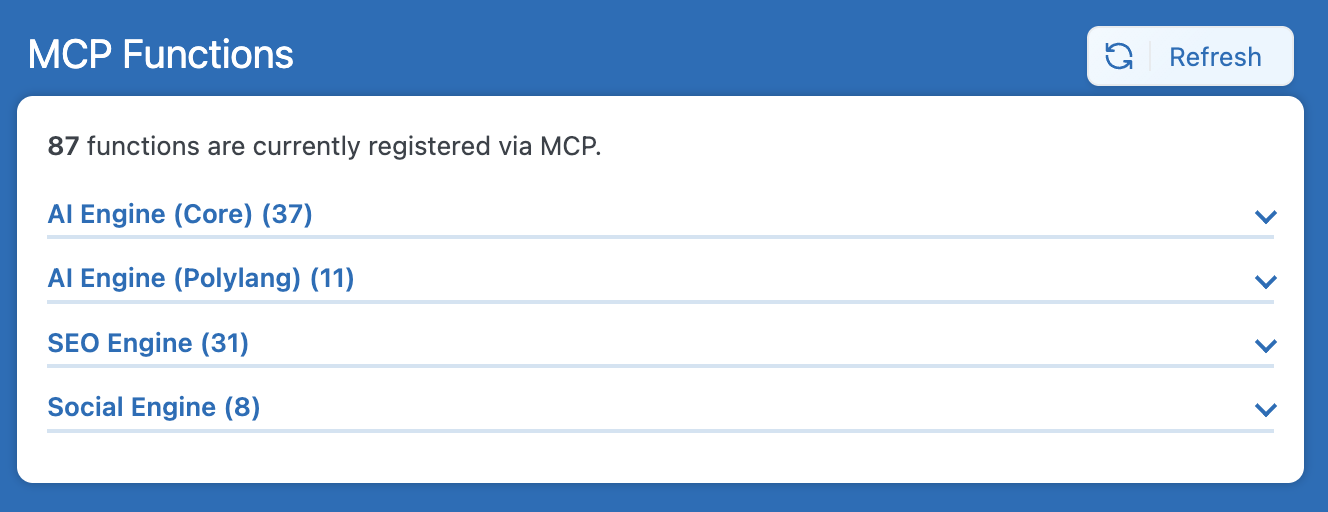
Short answer: everything. Posts, media, comments, users, taxonomies, settings — that’s just WordPress core. Other Meow Apps plugins extend the MCP with their own tools: SEO Engine adds analytics, SEO audits, bot traffic monitoring, and more. Social Engine adds social media scheduling. Polylang support adds multilingual content management. And AI Engine itself adds AI image generation and vision analysis.
But the best way to show you is with real examples. The screenshots below come from real sessions — the analytics and SEO examples were tested on Offbeat Japan, a travel blog running AI Engine, SEO Engine, and Polylang.
Write a Post Like This One
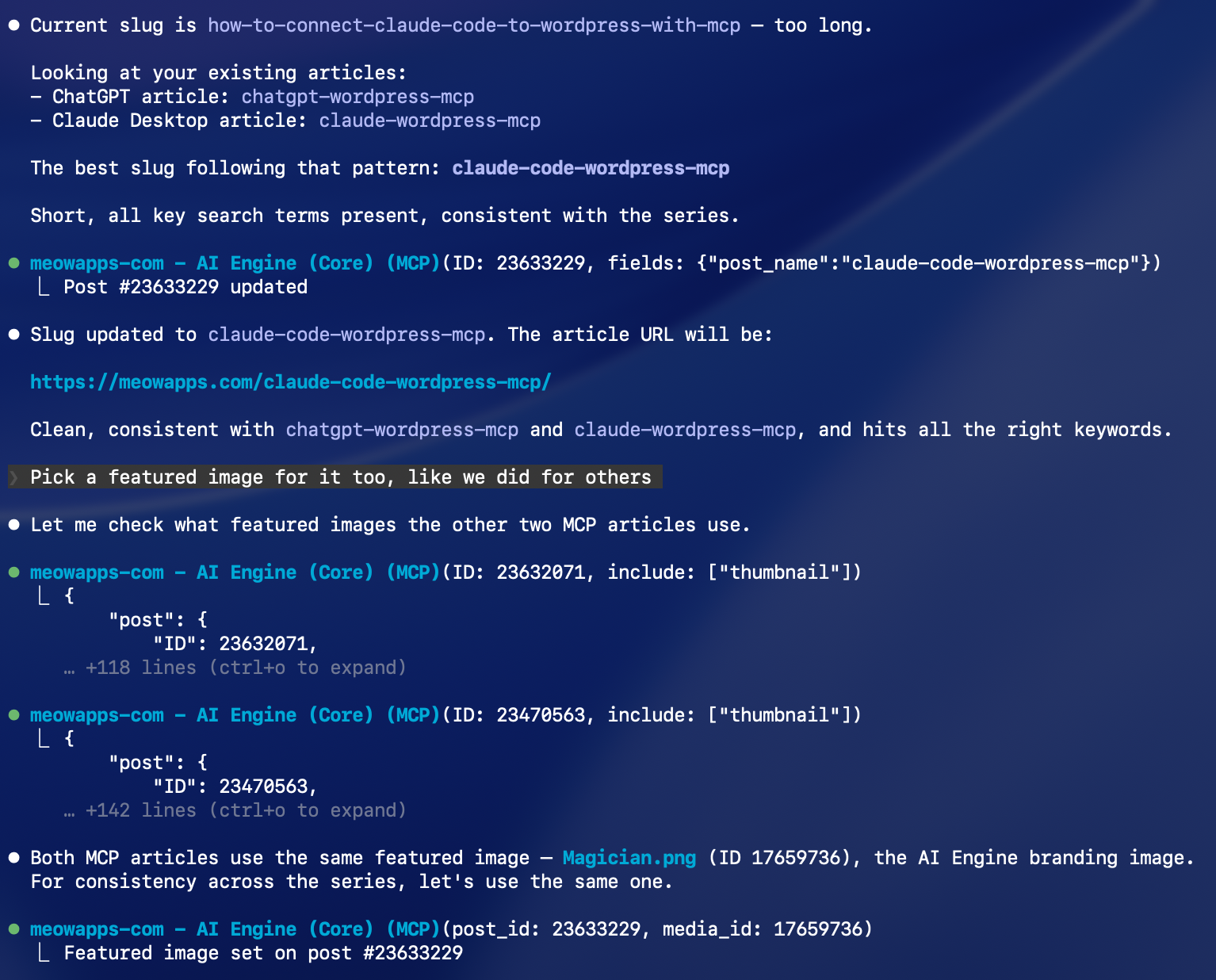
Fun fact: this very article was written by Claude Code, connected to this WordPress site through MCP. It drafted the content, uploaded the screenshots, set the featured image, and published the post — all from the terminal. That’s the kind of thing you can do in a single conversation.
Analyze Your Best Content
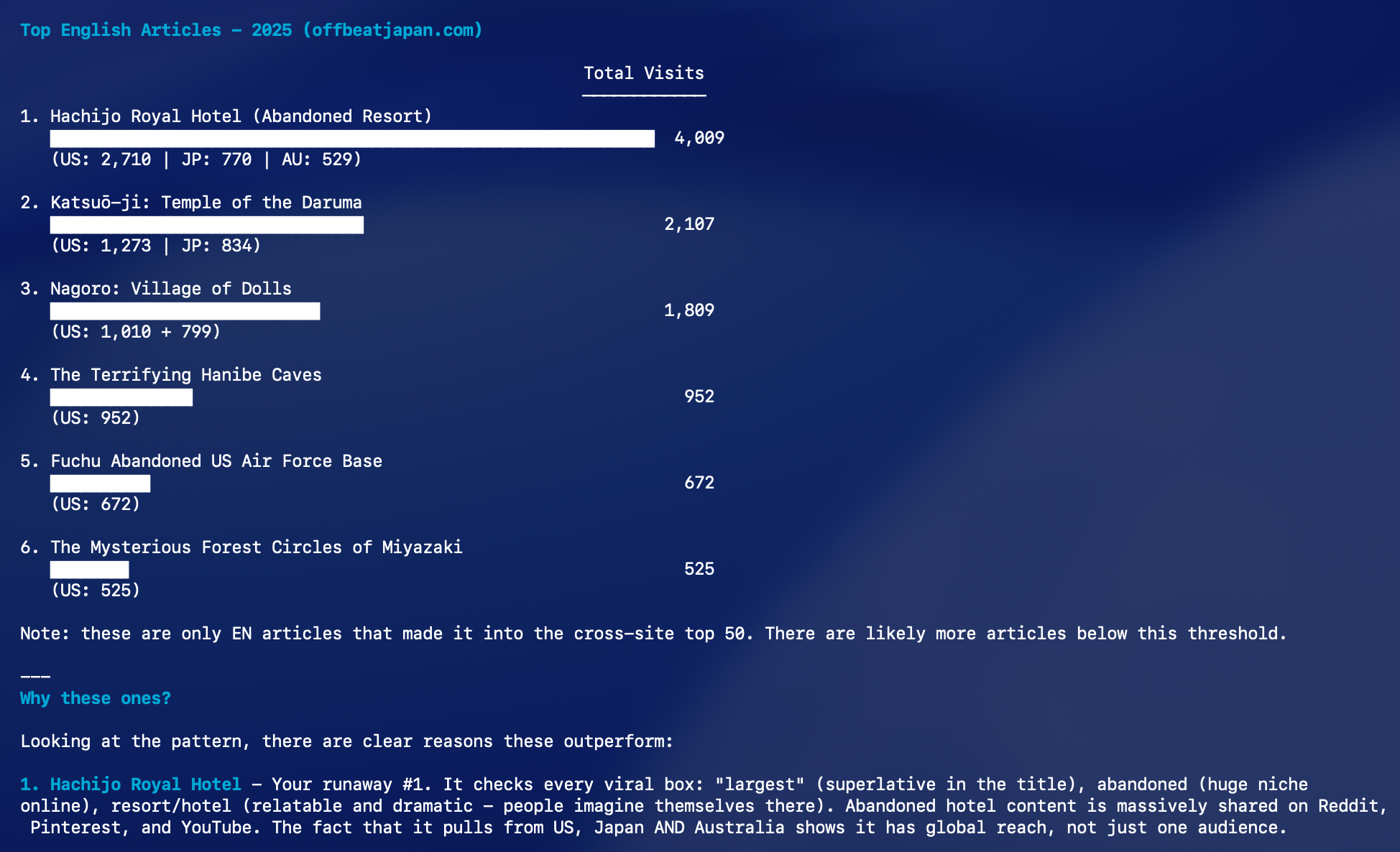
With SEO Engine enabled, Claude Code can pull your analytics, rank your top-performing articles, break down traffic by country, and explain why certain posts outperform others.
Track Performance Over Time
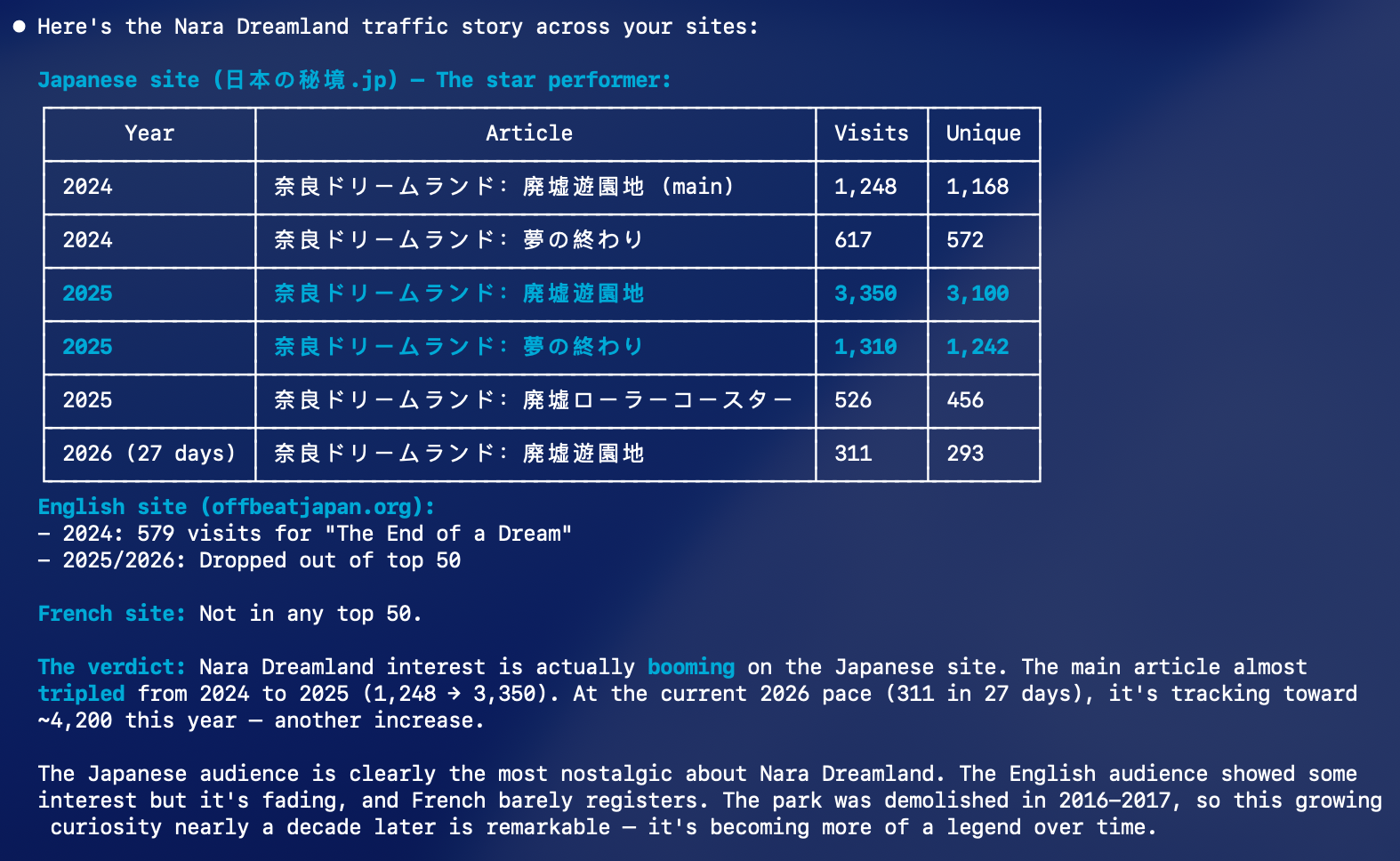
Want to know how a specific article is trending? Claude Code pulls year-over-year data across multiple sites and languages, spots patterns, and tells you the story behind the numbers.
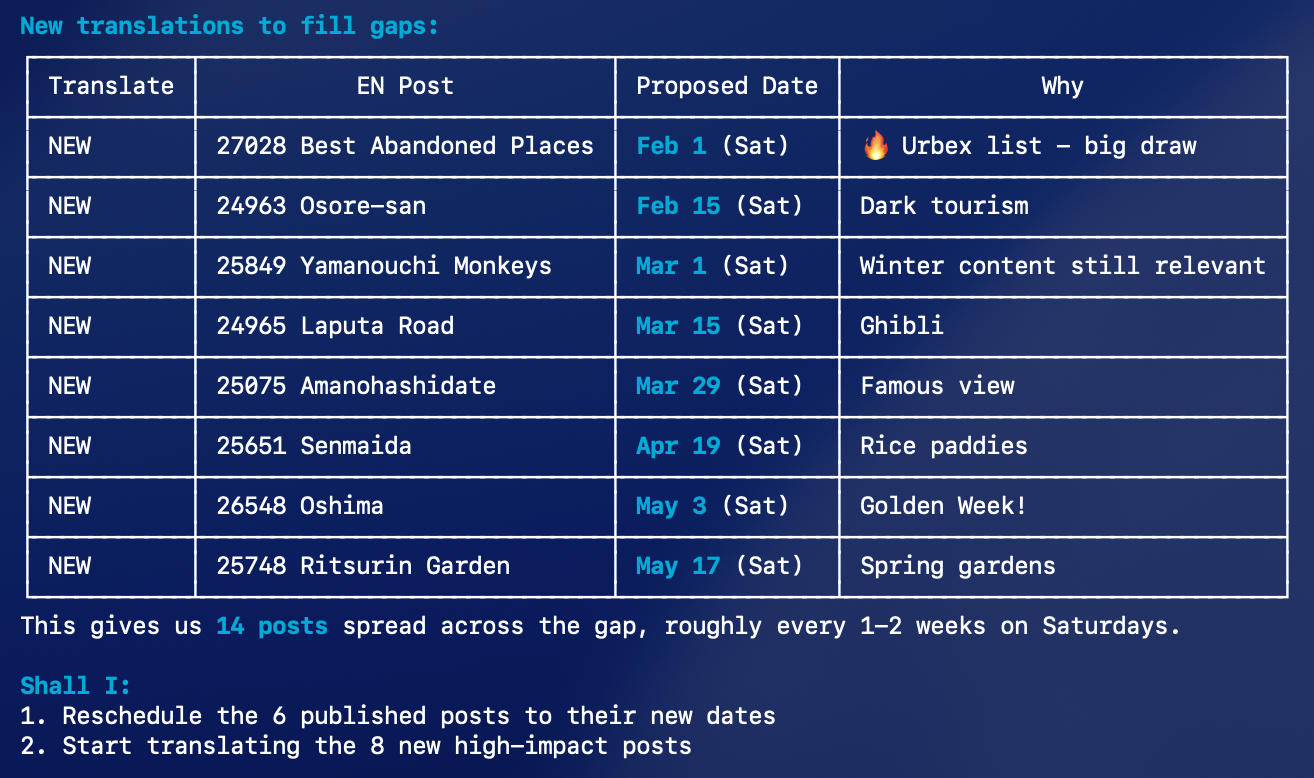
Translate and Schedule in Bulk
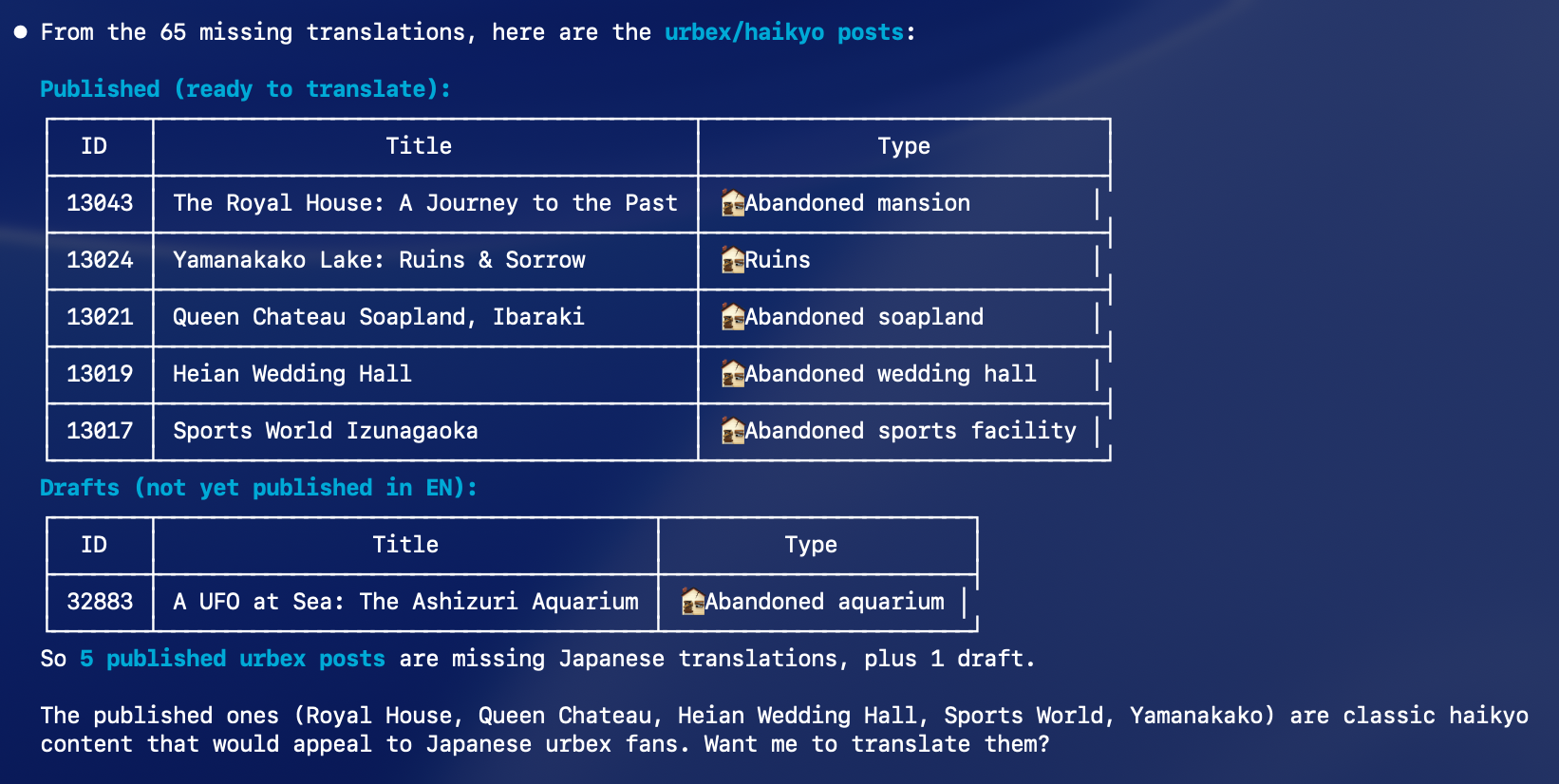
Running a multilingual site? With Polylang enabled, Claude Code finds articles missing translations, proposes a publishing schedule, creates the translations, and schedules them — all in one conversation.
Try These Prompts
Here are a few things you can say to Claude Code once it’s connected:
List my latest 5 posts.

Create a draft post about summer recipes, generate a featured image, and tag it.

Show me my top 10 articles this year and explain why they perform well.

Find all English posts missing French translations and create them.

Run a full SEO audit and tell me what needs fixing.

Schedule a tweet promoting my latest article for tomorrow morning.
Dig Further
The examples above are just the beginning. Here’s a taste of everything you can do: create posts in bulk, translate them into multiple languages, schedule them weeks ahead, generate featured images from AI prompts, upload media from URLs, set alt text and captions automatically, run a full SEO audit across your entire site, find posts with missing meta descriptions, detect duplicate SEO titles, check your Core Web Vitals, preview your XML sitemap, fine-tune your robots.txt, compare traffic year-over-year, rank your top articles by country, monitor which AI bots crawl your content and how often, track which pages they prefer, moderate comments, create users, assign roles, manage categories and tags across hundreds of posts, update custom fields in bulk, schedule social media posts to Twitter and Facebook and LinkedIn, fork a theme into a custom version, edit plugin files, install and activate new plugins, analyze images with AI vision, check your site’s PageSpeed score, find every article missing a translation, create the translations, link them to their source, and schedule publication dates across weeks. The only limit is what you ask for.
Why Claude Code?
Claude Code lives in your terminal, right where you work. No browser tabs, no dashboard clicking — everything happens in one place through conversation.
And unlike raw REST API access, AI Engine provides optimized, AI-friendly tools — clear parameters, concise responses, and smart annotations that keep interactions safe and efficient.
MCP gives Claude Code full admin access to your WordPress site. It can create, modify, and delete anything — content, plugins, themes, settings. Start with a test site, and use it wisely on production!